Lanes & Routes Planning Functionality Discovery
Overview
Overhaul is transforming supply chain risk management, offering real-time visibility and comprehensive security solutions to safeguard global logistics. As part of their mission to elevate digital logistics experiences, I contributed to a core platform overhaul by designing functionality for creating Lanes and Routes, as well as crafting dashboards tailored to distinct user personas. Additionally, I helped develop a scalable design system, ensuring a cohesive, intuitive user experience across all touchpoints.
Company
Overhaul
Project duration
2022-2023
My role
UX research, User Interviews, Prototyping, Testinng, Design System, Development Support
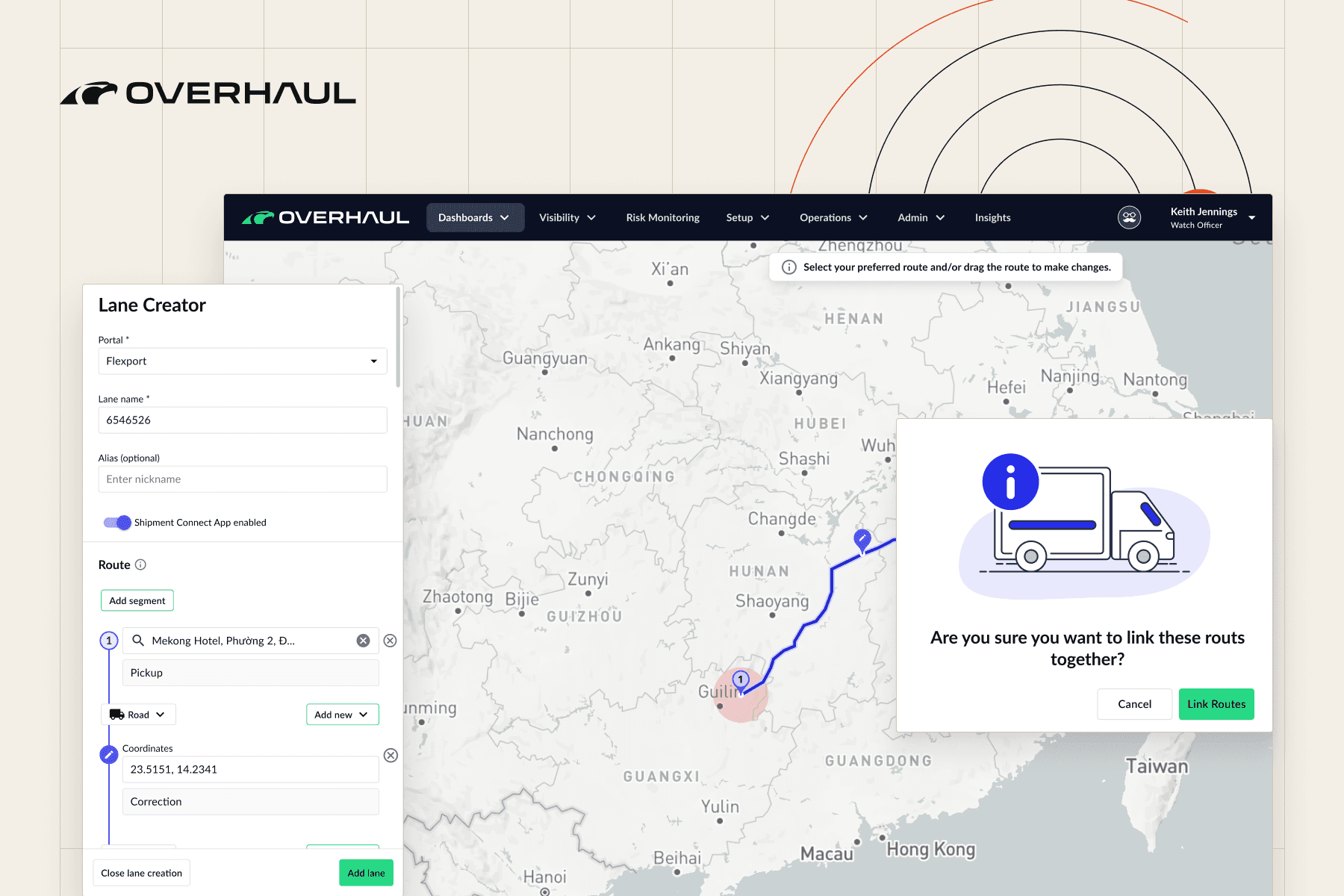
Fig. 01 — Overview
Overhaul
01
Problem statement
Discovery
Overhaul’s Routes planning functionality needed a transformation to empower clients and improve internal workflows. The platform required a self-service tool that would allow client companies to independently create optimal and secure routes without relying on external analysis. Additionally, internal Watch Officers needed an enhanced system to streamline their workflows, enabling faster and more efficient route adjustments. The primary challenge was balancing the complexity of diverse user needs with an intuitive, user-friendly interface that maintained Overhaul’s brand standards and elevated the overall experience.
02
Process
Four steps
How I got there
Step 1

Exploration of the Existing Grand Routes System
The project began with an in-depth analysis of the existing Grand Routes system, which revealed significant limitations in functionality and scalability. The rigid structure made it challenging for users to manage routes effectively, requiring manual processes that hindered efficiency. This analysis provided a clear understanding of the gaps that needed to be addressed in the redesigned system.
Step 2

Archetype Definition
To ensure the redesigned platform met user needs, we defined key user archetypes and their primary goals. This included Watch Officers, who needed intuitive tools to monitor, adjust, and respond to risks in logistics workflows, and Logistics Managers, who required features for strategic planning, route creation, and overall visibility. These archetypes shaped the development of features and workflows, ensuring the platform addressed the specific needs of its core users.
Step 3

Defining the Structure
In collaboration with the Product Manager, we outlined the structure for the new functionality, replacing theGrand Routes system with a more flexible and scalable approach. This involved segmenting the functionality into two core entities: Lanes and Routes, where Lanes serve as overarching categories, and multiple Routes can be created within each Lane. We also defined key features such as safe and danger zone integration, bulk-upload capabilities for automatic Lane creation, and tools for planning and assigning Routes.
Step 4

Defining the Backlog and Planning Execution
After establishing the structure of the new functionality, we worked on defining the backlog to guide development. Collaborating with the Product Manager and development team, we prioritized features such as Lane and Route segmentation, bulk-upload functionality, and tools for planning and assigning Routes. Each backlog item was carefully detailed with user stories, technical requirements, and acceptance criteria, ensuring clarity and alignment across teams. A phased execution plan was created to deliver the most impactful features early, enabling iterative testing and continuous improvement throughout the project lifecycle.
03
Solution
Delivered
What I designed
Solution
The Overhaul platform was redesigned to replace the outdated Grand Routes structure with two distinct entities: Lanes and Routes. Users can now create multiple Routes within a single Lane based on safe and danger zones provided by Overhaul. The new functionality introduced self-service capabilities, allowing users to independently plan, create, and assign Routes. Bulk-upload features enable the system to parse and generate Lanes automatically, saving time and streamlining workflows. Additionally, enhanced visibility provides users with detailed insights into existing Lanes and their supported delivery types, offering greater control and efficiency.


Prototyping and Usability Testing
I prepared interactive prototypes in Figma that showcased the core functionality of the redesigned platform. These prototypes were tested with two key user groups: existing Watch Officers, who were familiar with the legacy system, and participants recruited via the Respondent platform. The external participants were carefully selected for their experience in cargo logistics, ensuring feedback was both relevant and actionable. This testing process helped validate the design’s usability and effectiveness in meeting user needs.

Incorporating Usability Testing Insights
After conducting usability testing and analyzing the feedback with the team, we identified a few minor areas for improvement. However, the core workflow proved to be effective, intuitive, and well-understood by users. The testing validated the major flow, confirming that it met user expectations without causing confusion, reinforcing the design’s usability and functionality.
04 — Outcomes and next steps
What I learned
This project highlighted the importance of balancing user needs, business goals, and technical feasibility. Working closely with Watch Officers and logistics professionals during user testing provided valuable insights into how users interact with cargo logistics tools. Prototyping and testing early ensured the final product was intuitive and aligned with user workflows, while incorporating small improvements from feedback enhanced the overall experience. Transitioning to self-service tools not only streamlined operations but also empowered users, reducing reliance on support teams. These learnings will inform future projects to create scalable and impactful solutions.
