Employer Services – Custom Messages
Overview
The Paperless Employee, a white-label application provided by Experian Employer Services, faced a critical inefficiency: client admins relied on internal teams to add Custom Messages for their employees, resulting in delays and accessibility risks. I was tasked with designing a client-facing feature that would empower admins to independently create and manage messages while ensuring WCAG and Section 508 compliance. Through thorough discovery, simplified designs aligned with development constraints, and integrated accessibility safeguards, I delivered a user-friendly and efficient solution that streamlined workflows, reduced dependencies, and ensured inclusivity.
Company
Experian Employer Services (current)
Project duration
2023 - 2024
My role
UX research, Prototyping, User Testing, Development Support, Accessibility Assurance
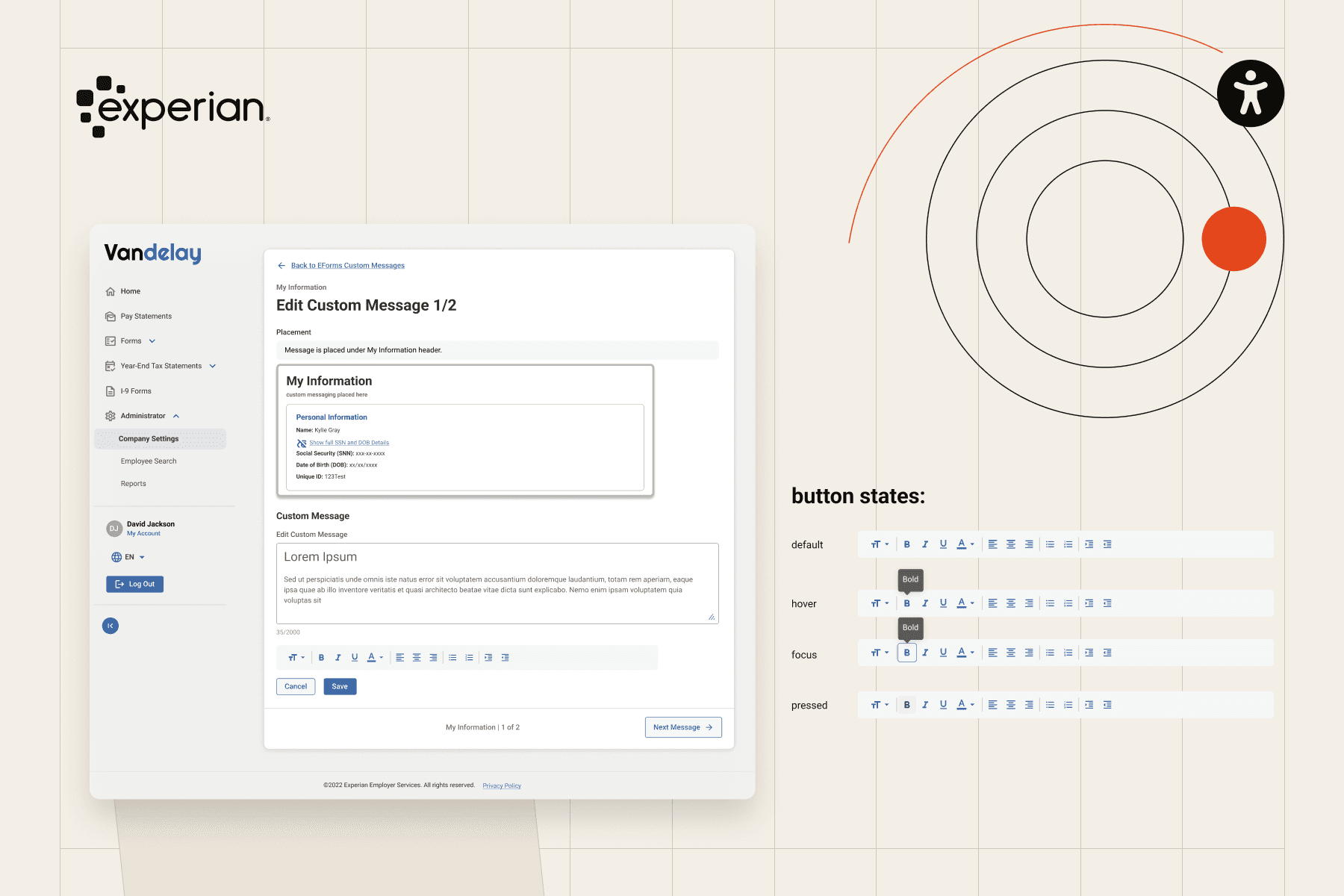
Fig. 01 — Overview
Experian Employer Services (current)
01
Problem statement
Discovery
The “Paperless Employee” application lacked the independent way for client admins to create and manage Custom Messages for their employees. This limitation forced admins to rely on internal managers who used a complex, legacy tool to manually add messages, leading to delays, inefficiency as this increased workload for internal users, and accessibility risks because the messages created using the legacy system often lacked adherence to WCAG and Section 508 compliance standards, leading to accessibility issues and potential legal exposure.
02
Process
Four steps
How I got there
Step 1

Step 1: Understanding the Current Workflow
Mapped out the existing process through collaboration with Product Managers and developers, identifying inefficiencies.
Step 2

Step 2: Initial Sketches
Created early sketches to enable client admins to easily create messages, ensuring WCAG compliance at every step.
Step 3

Step 3: Creating and applying the new styles
Iterated designs with development teams to balance user needs with resource constraints, maintaining simplicity and functionality.
Step 4

03
Solution
Delivered
What I designed
Solution
I designed a client-facing Custom Messaging feature that empowers admins to independently create and manage messages. The functionality integrates built-in accessibility safeguards, ensuring compliance with WCAG and Section 508 standards, and aligns with business constraints through resource-efficient design.


Create Flows
Developed an intuitive interface that allows admins to create messages independently, reducing reliance on internal teams.

Accessibility Compliance
Did WCAG-compliant annotations to ensure all messages are inclusive and accessible from the start.
04 — Outcomes and next steps
What I learned
This project taught me the importance of balancing user needs, technical feasibility, and business goals. By simplifying complex processes, I was able to deliver an accessible and user-friendly feature. The next steps include post-development testing, accessibility validation, and UAT to ensure the functionality meets the highest standards.

Next case study
OverHaul | New Functionality (2022-2023)